


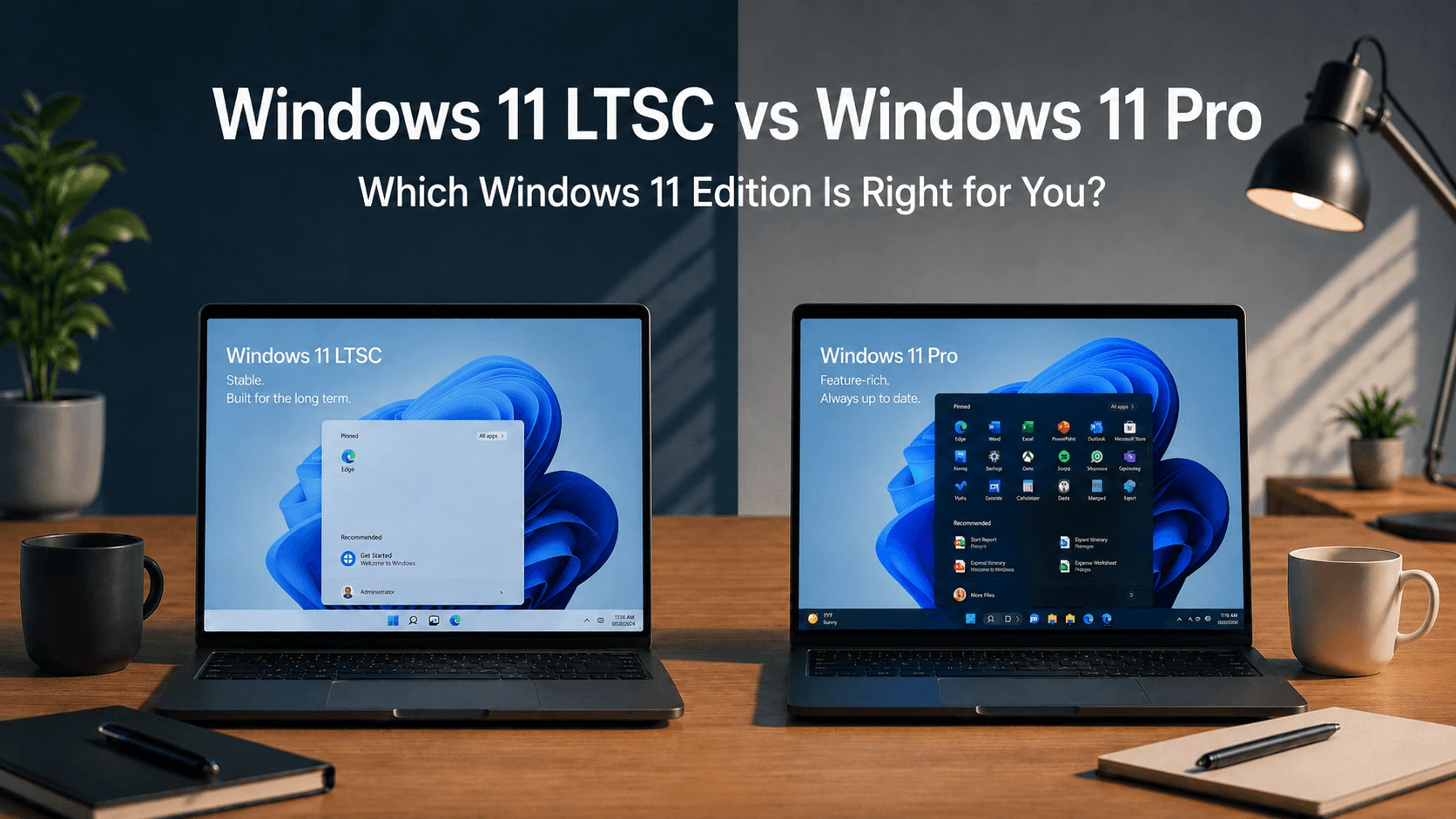
Quick Answer: Windows 11 LTSC or Windows 11 Pro?
Windows 11 Pro is the better choice for most home users, gamers, students, freelancers, and small businesses. Windows 11 LTSC is better for businesses, embedded systems, industrial PCs, controlled environments, and advanced users who value stability over new features and can get a proper license.
LTSC is not a free version of Windows. It requires a valid license through proper business, volume licensing, or OEM channels. If you need a simple legal Windows license, Windows 11 Pro is usually the better option.
Table of Contents
What Is Windows 11 LTSC?
LTSC stands for Long-Term Servicing Channel. Historically, this channel was known as the long term servicing branch (LTSB) in earlier Windows versions. It is a specialized version of Windows 11 designed for mission-critical systems that demand maximum stability and have a lengthy support lifecycle. Unlike regular Windows editions that receive frequent feature updates, LTSC receives only critical security updates and quality updates.
The current version is Windows 11 Enterprise LTSC 2024, which was first available on October 1, 2024. It is built on Windows 11 version 24H2 and includes cumulative enhancements from versions 21H2, 22H2, 23H2, and 24H2.
LTSC is intended for devices that require a stable and predictable environment. These include industrial control systems, medical equipment, point-of-sale systems, kiosks, and ATMs. It is not designed for general-purpose consumer PCs.
There are two main LTSC editions:
- Windows 11 Enterprise LTSC 2024 : Designed for business environments
- Windows 11 IoT Enterprise LTSC 2024: Designed for embedded systems and IoT devices
Is There a Windows 11 LTSC Version?
Yes. Windows 11 LTSC exists and was officially released in 2024. The current generation is Windows 11 Enterprise LTSC 2024, based on Windows 11 24H2. The main editions are Windows 11 Enterprise LTSC and Windows 11 IoT Enterprise LTSC.
What Is the Difference Between LTSC and Normal Windows?
The difference between LTSC and normal Windows comes down to three main factors: updates, features, and licensing.
Normal Windows (Pro or Home) receives feature updates regularly, includes all consumer apps and services, and is widely available through retail channels. LTSC receives only security updates and quality updates, excludes most consumer features, and requires volume licensing.
LTSC is stripped down compared to regular Windows. It removes the Microsoft Store, Copilot, Xbox features, Widgets, and many pre-installed apps. This makes it lighter but less capable for everyday consumer use.
This Windows 11 LTSC vs Pro comparison shows that LTSC is not a version of Windows that most people should use. It serves a specific purpose: stability for devices that cannot tolerate change.
What Is Windows 11 Pro?
Windows 11 Pro is Microsoft’s standard commercial edition for professionals and small businesses. It includes enterprise-grade features like BitLocker device encryption, Group Policy Editor, Remote Desktop host, and Hyper-V virtualization.
Windows 11 Pro receives feature updates regularly, typically 1-2 major updates per year. Each version has a support lifecycle of about 2-3 years. For example, Windows 11 version 24H2 Home and Pro editions will reach the end of updates on October 13, 2026.
Pro is the edition pre-installed on most mid-to-high-end laptops and desktops. It includes the full consumer experience: Microsoft Store, Xbox features, Copilot AI integration, Widgets, and a wide range of pre-installed apps.
Windows 11 LTSC vs Windows 11 Pro: Main Differences
| Feature | Windows 11 Pro | Windows 11 LTSC |
|---|---|---|
| Target user | Professionals, small businesses | Enterprises, mission-critical devices, embedded systems |
| Feature updates | 1-2 major updates per year | None during support lifecycle (5-10 years) |
| Security updates | Continuously received | Continuously received with quality updates |
| Support period | ~2-3 years per version | 5 years (Enterprise) / 10 years (IoT) |
| Microsoft Store | Included | Not included by default |
| Copilot | Included | Not included |
| Xbox features | Included | Not included by default |
| Preinstalled apps | Extensive | Edge only + classic tools |
| Background activity | High | Low |
| Local account | May require workaround | Supported out of the box |
| Licensing | Retail, OEM, volume | Volume licensing, OEM (upgrade license) |
| Device management | Full support | Full support |
| Installation size | 25-40 GB | ~16.3 GB |
Update Policy: Why LTSC Feels Different
This is the most fundamental difference between the two editions.
Windows 11 Pro follows a continuous innovation model. You receive feature updates regularly, each potentially bringing UI changes, new features, and new apps. The upside is that you are always using the latest version. The downside is unpredictability – you never know if the next update will disrupt your workflow.
Windows 11 LTSC follows a fixed lifecycle policy. The feature set is frozen for the entire support period. You receive only security updates and quality updates. No major feature updates, no sudden UI overhauls, no unexpected changes during working hours.
This makes LTSC ideal for environments where stability and predictability are more important than new features. Organizations that depend on the long term servicing channel LTSC do so because they cannot afford unexpected system changes.
Performance: Is Windows 11 LTSC Faster?
Windows 11 LTSC can feel faster because it has fewer background apps and services, but it does not usually create a huge raw performance difference. CPU benchmarks and game frame rates are often close between LTSC and Pro on the same hardware, with differences typically around 1-2%.
The perception of speed comes from the reduced background activity. LTSC has no Widgets, no Copilot background services, no recommendation feeds, and fewer telemetry processes. This means lower CPU and memory usage during idle periods.
For users with older or lower-spec hardware, LTSC can provide a noticeably smoother experience because it demands fewer system resources.
Gaming: Is Windows 11 LTSC Good for Games?
Windows 11 LTSC can run many games, but Windows 11 Pro is the better gaming choice for most people.
Why Pro is better for gaming:
- Pro includes Xbox Game Bar, Game Pass integration, and gaming services by default
- Pro receives gaming optimizations tied to feature updates
- Pro has better support from game developers and hardware vendors
- Pro includes the Microsoft Store for accessing game libraries
LTSC gaming limitations:
- Xbox Game Bar is not included by default
- Game Pass integration is not included
- Some games may require manual installation of missing components
- Future gaming features tied to feature updates will not arrive
Some players have reported that certain games require adjusting settings or installing additional components to run smoothly on LTSC.
Microsoft Store, Xbox, Copilot, and Missing Features

LTSC removes or excludes many consumer features by default. This is one of the biggest Windows 11 LTSC drawbacks.
What does Windows LTSC not have? The list is significant:
- Microsoft Store: Not included by default. If you need it, you must install it manually, and Microsoft does not provide a straightforward installation method.
- Copilot: Not included. Windows AI integration is absent.
- Xbox Game Bar: Not included by default.
- Game Pass integration: Not included.
- Widgets: Removed or not included.
- Discover feed: Not included.
- Many consumer apps: Removed. LTSC comes with Microsoft Edge as the only modern app, plus classic versions of Calculator, Notepad, Paint, and Snipping Tool.
- Some media features or codecs: May need manual setup.
Apps and tools designed for the general availability channel may offer limited support for LTSC.
Does Windows 11 LTSC have the Microsoft Store? The answer is no. The LTSC variant of Windows 11 24H2 does not include the Microsoft Store app by default. This is a critical limitation for users who rely on Store apps.
Is Windows 11 LTSC stripped down? Yes. That is precisely the point. Microsoft designed LTSC to be a minimal, stable foundation for specific use cases, not a full-featured consumer operating system.
Licensing: Is Windows 11 LTSC Free?
No. Windows 11 LTSC is not free.
Windows 11 Enterprise LTSC is considered an upgrade license, not a full standalone retail operating system license. In normal commercial licensing, if your device already came with a valid Windows 11 Pro OEM license, you may only need to purchase a Windows Enterprise subscription or volume license.
Windows 11 IoT Enterprise LTSC is generally licensed through the OEM channel or specialized distributors for fixed-purpose devices.
LTSC is mainly distributed through:
- Business volume licensing
- Volume Licensing agreements
- OEM channels for device builders
It is not sold as a retail product like Windows 11 Pro. Regular consumers cannot simply walk into a store and buy a Windows 11 LTSC license.
Can I use Windows 11 LTSC for free? You should not. Microsoft does not offer LTSC as a free product. While there is a 90-day evaluation version for testing purposes, it is not a permanent free license.
How much does Windows 11 LTSC cost? There is no fixed retail price. LTSC is sold through volume licensing and OEM channels, not as a retail product like Windows 11 Pro.
How Much Does Windows 11 LTSC Cost?
There is no fixed retail price for Windows 11 LTSC because it is not sold through standard retail channels. Pricing depends on volume licensing agreements, OEM arrangements, and the specific licensing program.
Windows 11 Enterprise LTSC is licensed per device and is available exclusively as an upgrade license. Windows 11 IoT Enterprise LTSC is typically sold through OEM distributors and may be tied to specific hardware.
For most consumers, the cost and complexity of obtaining a legitimate LTSC license make Windows 11 Pro a more practical choice. A Windows 11 Pro product key is widely available through retail and authorized resellers.
Microsoft does offer a 90-day evaluation version of Windows 11 Enterprise LTSC for testing purposes. This evaluation version allows organizations to assess the system before making a licensing commitment.
Activation: Can You Use Windows 11 LTSC Without Activation?
You should not use free activation tools, cracks, or unofficial KMS methods. Windows 11 LTSC requires a valid license through proper channels.
Unofficial activation methods can create security, legal, and activation problems. They may expose your system to malware, violate Microsoft’s terms of service, and stop working unexpectedly.
If you need a simple legal Windows license, Windows 11 Pro is usually easier to buy and activate with a legitimate Windows 11 Pro product key.
Support Lifecycle: How Long Is Windows 11 LTSC Supported?

The support lifecycle is one of LTSC’s biggest advantages.
Windows 11 Enterprise LTSC 2024 has a 5-year lifecycle. It follows the Fixed Lifecycle Policy. Mainstream support ends on October 9, 2029. There is no extended support period – the product reaches end of servicing on that date.
Windows 11 IoT Enterprise LTSC 2024 has a 10-year lifecycle. Mainstream support ends on October 9, 2029, and extended support continues until October 10, 2034.
Windows 11 Pro has a much shorter lifecycle. Each version is supported for about 2-3 years. For example, Windows 11 version 24H2 Home and Pro editions will reach the end of updates on October 13, 2026. After that date, affected PCs will no longer receive monthly security updates or quality updates.
Is Windows 11 LTSC out of support? The current version (2024) is actively supported. The previous Windows 10 LTSC versions may be approaching end of support, but Windows 11 Enterprise LTSC 2024 is supported until October 9, 2029.
What Happens When Windows 11 LTSC Support Ends?
When Windows 11 Enterprise LTSC 2024 reaches end of support on October 9, 2029, devices running it will no longer receive security updates, fixes for known issues, or technical support.
Unlike Windows 11 Pro, which can be upgraded to a newer version, LTSC does not have an in-place upgrade path to a newer LTSC release until Microsoft releases the next LTSC version (typically every 3 years). Organizations need to plan for migration to the next LTSC release before support ends.
For IoT Enterprise LTSC, extended support continues until October 10, 2034, providing a much longer window.
Can You Convert Windows 11 Pro to LTSC? Can You Convert Windows 11 to LTSC?
No. You cannot convert Windows 11 Pro to LTSC through a simple setting or upgrade path. You also cannot convert regular Windows 11 to LTSC.
LTSC is a different edition with different licensing. To use LTSC, you need to perform a clean installation using LTSC installation media and activate it with a valid LTSC license.
In commercial licensing, if your device already has a valid Windows 11 Pro OEM license, you may be able to purchase a Windows Enterprise subscription or volume license to upgrade. But this is an enterprise licensing scenario, not a consumer upgrade path.
Can My PC Run Windows 11 LTSC?
The hardware requirements for Windows 11 LTSC are the same as for Windows 11 version 24H2.
Minimum requirements:
- Processor: 1 GHz or faster, 64-bit, with 2 or more cores
- RAM: Minimum 4 GB (minimum RAM for Windows 11 LTSC is 4 GB)
- Storage: 64 GB or more available storage (how much storage is needed for Windows 11 LTSC? A clean installation uses about 16.3 GB, but Microsoft recommends 64 GB)
- System firmware: UEFI with Secure Boot
- TPM: Version 2.0 (must be enabled in BIOS)
If your PC can run Windows 11 Pro, it can run Windows 11 LTSC. However, LTSC may run more smoothly on lower-spec hardware because it has fewer background processes and services.
Pros and Cons of Windows 11 LTSC
Pros:
- Extremely stable with no feature changes during support lifecycle
- Lower system resource usage
- Fewer background processes and services
- No bloatware or consumer apps
- Long support period (5-10 years)
- No forced feature updates
- Supports local account setup out of the box
- Receives only critical security updates and quality updates
Cons:
- Harder to license legally for consumers
- No Microsoft Store by default
- No Copilot or AI features
- No Xbox Game Bar or Game Pass integration
- Missing some consumer features and codecs
- May have compatibility issues with some software
- No new consumer features during support lifecycle
- These Windows 11 LTSC drawbacks make it unsuitable for most home users
Pros and Cons of Windows 11 Pro
Pros:
- Easy to buy and license legally with a product key
- Full Microsoft Store access
- All consumer features included (Copilot, Xbox, Widgets)
- Best compatibility with software and hardware
- Regular feature updates
- Broad support from developers and vendors
Cons:
- Frequent feature updates can disrupt workflow
- More background processes and services
- Higher system resource usage
- Shorter support lifecycle per version
- Includes bloatware and consumer apps
- May require Microsoft account
Who Should Use Windows LTSC?
Windows 11 LTSC is best when stability matters more than new features. Who should use Windows LTSC? It is a good fit for:
- Business systems that cannot tolerate frequent changes
- Embedded devices like kiosks, ATMs, and digital signage
- Industrial PCs in manufacturing and control systems
- Medical equipment where stability is critical
- Point-of-sale systems that need to run reliably for years
- IoT devices that require long-term support
- Advanced users who know exactly what they are giving up and can obtain a proper license
Organizations that depend on the long term servicing channel LTSC do so because they need a predictable environment without unexpected changes.
LTSC makes sense only if you need long-term stability, fewer background services, and you understand the trade-offs.
Who Should Use Windows 11 Pro?
Windows 11 Pro is the best choice for most people because it is easier to license, easier to activate, better for gaming, better for Microsoft Store apps, and better supported by hardware and software vendors.
Choose Windows 11 Pro if you:
- Are an average home user or gamer
- Want the latest Windows features and AI integration
- Need the broadest possible software and hardware compatibility
- Use Microsoft Store apps or Xbox Game Pass
- Don’t mind occasional system changes and updates
- Run a small business that needs device management features
- Are a student, freelancer, or professional using standard software
For Most Users, Windows 11 Pro Is the Easier Choice
Windows 11 LTSC is designed for specialized business and long-term deployment scenarios. If you are upgrading a normal laptop, gaming PC, or office computer, Windows 11 Pro is usually easier to license, activate, and maintain.
A valid Windows 11 Pro product key gives most users the full Windows 11 experience, including Microsoft Store, gaming features, security updates, and broad software support.
Why Is LTSC Better? Is LTSC Better Than Pro?
Why is LTSC better? It depends on what you value.
LTSC is better if you value stability, predictability, and low system resource usage. It eliminates the risk of feature updates breaking your workflow and reduces background activity.
Pro is better if you value features, compatibility, and the full Windows experience. It offers the latest innovations, broadest software support, and easiest licensing.
Is LTSC better than Pro? For devices that require a stable environment, yes. For most consumers, no. This Windows 11 LTSC vs Pro comparison shows that the answer depends entirely on your use case.
Is Windows 11 Pro better than LTSC? For most users, yes. Pro is easier to license, has better software compatibility, includes all consumer features, and is better for gaming.

Final Verdict
Windows 11 LTSC is not simply a better Windows 11 Pro. It is a different edition for a different job. It is cleaner and more stable, but it removes consumer features and is harder to license.
For most users, Windows 11 Pro is the safer choice. LTSC makes sense only if you need long-term stability, fewer background services, and you understand the trade-offs and can obtain a proper license.
When comparing Windows 11 LTSC vs Pro, consider your specific needs. Pro delivers the full consumer experience with regular updates. LTSC provides a stable, stripped-down environment for devices that require predictability above all else.
Organizations that depend on the long term servicing channel LTSC do so because they cannot afford system changes. If that does not describe your situation, Windows 11 Pro is likely the better option.
FAQ
Is there a Windows 11 LTSC version?
Yes. Windows 11 LTSC exists and was officially released in 2024. The current version is Windows 11 Enterprise LTSC 2024, based on Windows 11 24H2.
What is the Windows 11 LTSC edition?
LTSC stands for Long-Term Servicing Channel. It is a specialized version for mission-critical systems that demand maximum stability. The main editions are Windows 11 Enterprise LTSC and Windows 11 IoT Enterprise LTSC.
What is the difference between LTSC and normal Windows?
LTSC receives only security and quality updates, excludes most consumer features like Microsoft Store and Copilot, and requires volume licensing. Normal Windows receives feature updates, includes all consumer features, and is available through retail channels.
Is Windows 11 LTSC free?
No. Windows 11 LTSC is not free. It requires a valid license through proper business, volume licensing, or OEM channels. Microsoft offers a 90-day evaluation version for testing purposes.
How much does Windows 11 LTSC cost?
There is no fixed retail price. LTSC is sold through volume licensing and OEM channels, not as a retail product like Windows 11 Pro.
Is Windows 11 LTSC better than Windows 11 Pro?
It depends on your needs. LTSC is better for stability, low resource usage, and long-term support. Pro is better for features, gaming, app compatibility, and ease of licensing.
Is Windows 11 Pro better than LTSC?
For most users, yes. Pro is easier to license, has better software compatibility, includes all consumer features, and is better for gaming.
What are the drawbacks of LTSC?
LTSC lacks Microsoft Store by default, has no Copilot, no Xbox features, no consumer apps, may have compatibility issues, and is harder to license legally. These Windows 11 LTSC drawbacks make it unsuitable for most home users.
What are the downsides of Windows LTSC?
The downsides include missing consumer features, limited app compatibility, difficult licensing for consumers, and no new features during the support lifecycle.
What does Windows LTSC not have?
LTSC does not have Microsoft Store by default, Copilot, Xbox Game Bar, Game Pass integration, Widgets, Discover feed, and many consumer apps.
Is Windows 11 LTSC stripped down?
Yes. LTSC is intentionally stripped down to provide a minimal, stable foundation for specific use cases.
Does Windows 11 LTSC come with the Microsoft Store?
No. The LTSC variant of Windows 11 24H2 does not include the Microsoft Store app by default.
Does Windows 11 LTSC have the Microsoft Store?
No. The LTSC variant of Windows 11 24H2 does not include the Microsoft Store app by default.
Is Windows 11 LTSC good for gaming?
LTSC can run many games, but Windows 11 Pro is the better gaming choice. LTSC lacks Xbox features and gaming services by default.
Can my PC run Windows 11 LTSC?
If your PC meets Windows 11 requirements (1 GHz CPU, 4 GB RAM, 64 GB storage, UEFI with Secure Boot, TPM 2.0), it can run LTSC.
What is the minimum RAM for Windows 11 LTSC?
The minimum RAM requirement is 4 GB, same as Windows 11 version 24H2.
How much storage is needed for Windows 11 LTSC?
A clean installation uses about 16.3 GB. Microsoft recommends 64 GB or more available storage.
How long is Windows 11 LTSC supported?
Windows 11 Enterprise LTSC 2024 has 5 years of support (until October 9, 2029). Windows 11 IoT Enterprise LTSC 2024 has 10 years of support (until October 10, 2034).
Is Windows 11 LTSC out of support?
The current version (2024) is actively supported. Windows 11 Enterprise LTSC 2024 is supported until October 9, 2029.
What happens when Windows 11 LTSC expires?
When support ends, devices no longer receive security updates, fixes, or technical support. Organizations need to migrate to a newer LTSC release.
Can you convert Windows 11 Pro to LTSC?
No. You cannot convert Pro to LTSC. LTSC requires a clean installation and a valid LTSC license.
Can you convert Windows 11 to LTSC?
No. You cannot convert regular Windows 11 to LTSC. LTSC requires a clean installation.
Can I use Windows 11 LTSC without activation?
You should not use free activation tools, cracks, or unofficial KMS methods. Windows 11 LTSC requires a valid license through proper channels.
How to activate Windows 11 LTSC for free?
You should not attempt to activate LTSC for free using unofficial tools. Windows 11 LTSC requires a valid license. If you need a simple legal option, Windows 11 Pro is usually easier to buy and activate with a legitimate product key.
Who should use Windows LTSC?
LTSC is best for business systems, embedded devices, industrial PCs, medical equipment, point-of-sale systems, IoT devices, and advanced users who understand the trade-offs.
Why is LTSC better?
LTSC is better for stability, predictability, and low system resource usage. It eliminates feature update risks and reduces background activity.
Is Windows 12 confirmed?
As of the time of writing, Microsoft has not officially confirmed Windows 12. The company continues to develop Windows 11 with regular feature updates. The current LTSC release is Windows 11 Enterprise LTSC 2024.
Why are people leaving Windows 11?
Some users leave Windows 11 due to privacy concerns, performance issues on older hardware, forced updates, system requirements, or the desire for a more minimal operating system. LTSC appeals to some of these users because it reduces background activity and eliminates feature updates.
Why is no one switching to Windows 11?
This is an exaggeration. Many users have switched to Windows 11. However, some users stay on Windows 10 due to hardware limitations, stability concerns, or dislike of UI changes. LTSC offers a way to use Windows 11 with a more stable, minimal experience.