


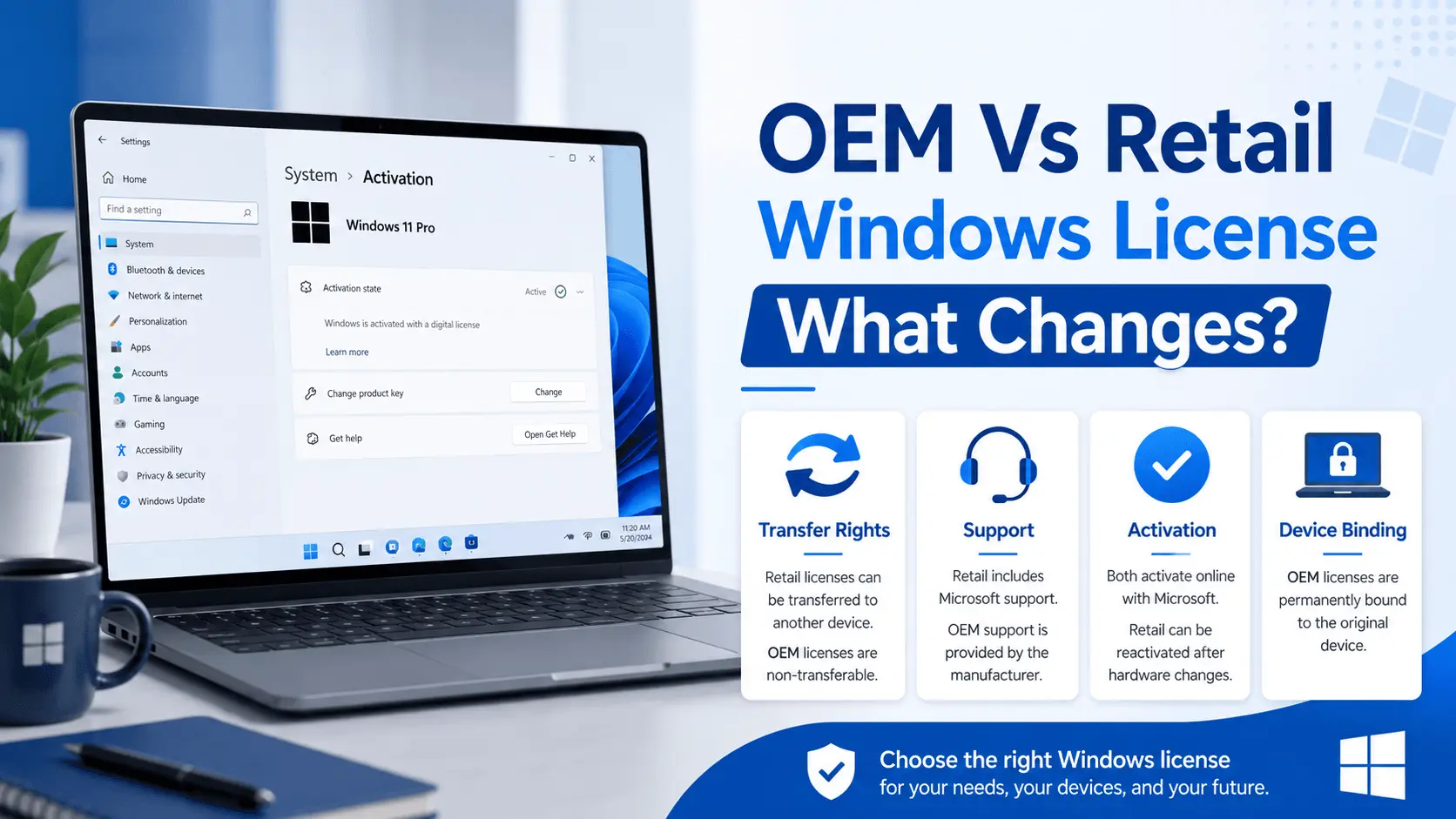
OEM and retail Windows licenses are often compared because both can activate Windows, but they are not used in the same way.
When you compare Windows 11 OEM and retail, the main differences are in transfer rights, support, and activation. Many shoppers look for windows 11 oem vs retail guidance; put simply, the difference between oem and retail windows is primarily about transfer rights and who provides support.
The right choice depends on the device, transfer expectations, and the product terms shown on the listing.
Table of Contents
What Is a Windows OEM License?
An OEM license is generally intended for one eligible PC. It is commonly associated with the first device where it is activated and is not chosen when the buyer needs broad transfer flexibility between different computers. This has implications for oem windows license transfer; once a key is bound to eligible hardware, moving it may be restricted by the license terms.
What Is a Retail Windows License?
A retail Windows license is typically chosen when a user wants more flexibility than an OEM-style license. Exact rights depend on the product terms and Microsoft licensing conditions, so buyers should review the edition and license type carefully before checkout. When considering an oem vs retail windows license, retail is often preferred if you anticipate future device changes.

Key Differences to Check
These checks help clarify windows oem vs retail choices before you buy.
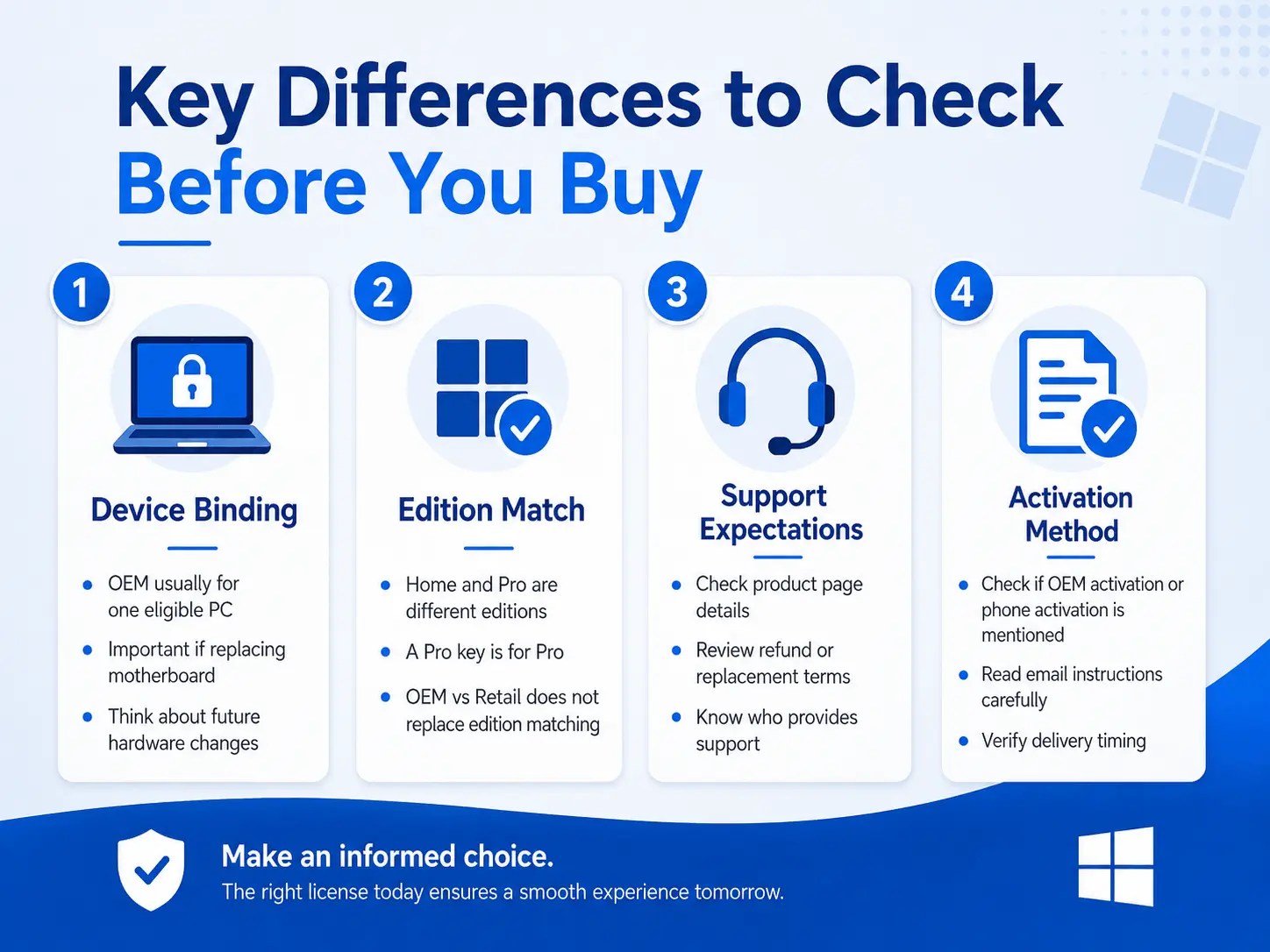
Device Binding
OEM-style licenses are usually tied to one eligible PC. This matters if you replace a motherboard, rebuild a system, or expect to move Windows to another device later.
Edition Match
OEM vs retail does not replace edition matching. A Windows 11 Pro OEM key is for Windows 11 Pro, not Windows Home or a Server edition.
Support Expectations
Before checkout, check whether the product page includes activation method (for example, windows oem key activation or phone activation), device scope, email delivery timing, and refund or replacement conditions for eligible activation issues.
When OEM Makes Sense
OEM-style Windows licensing can make sense when you are activating one eligible PC and do not expect to move that license to another computer. It is commonly considered for a fixed desktop or laptop where the hardware will remain stable.
When Retail-Style Flexibility Matters
If you expect to rebuild hardware, change devices, or need broader transfer flexibility, review whether an OEM listing is the right fit. A lower-friction purchase is not helpful if the license type does not match your long-term device plan.

Questions to Ask Before Checkout

- Will this license be used on one device only? Is the installed edition Home, Pro, or another Windows edition? Do I expect to replace major hardware soon? Does the product page mention OEM or phone activation? Do the refund and replacement terms cover the situation I am worried about?
For A2Keys buyers, the most important step is matching the product title and description to the device. OEM vs retail is only one part of the decision; edition, activation method, and device eligibility matter as much.
Recommended A2Keys Pages
FAQ
Is OEM better than retail?
Not always. OEM can be suitable for one eligible PC, while retail-style licensing may be better when transfer flexibility matters.
Can I move an OEM key to another PC?
OEM-style licenses are generally device-bound. Review the product page and Microsoft license terms before choosing this option.
Does OEM mean the edition is different?
No. OEM describes license type or channel. The Windows edition, such as Home or Pro, still needs to match your installed system.
Q&A
Question: How do hardware changes like a motherboard replacement affect an OEM Windows license?
Short answer: OEM-style licenses are usually tied to one eligible PC, so major hardware changes—especially a motherboard swap—can be treated like a new device. That can restrict reactivation under OEM terms. If you expect to rebuild or upgrade often, consider a retail-style license for more flexibility.
Question: Can I transfer a retail Windows license to a different PC later?
Short answer: Retail licenses are typically chosen for greater flexibility and are often preferred if you anticipate device changes. However, the exact transfer rights depend on the product terms and Microsoft licensing conditions, so review the listing and license details before buying.
Question: What should I check on the product page before purchasing a Windows key?
Short answer: Confirm the activation method (for example, OEM key activation or phone activation), device scope (one eligible PC), email delivery timing, and the refund or replacement policy for eligible activation issues. Also verify the edition (Home, Pro, etc.) matches what’s installed on your device. For A2Keys buyers, matching the product title and description to your device is the most important step.
Question: How do I make sure the edition matches my device?
Short answer: Edition matching is separate from OEM vs retail. Identify your installed Windows edition (e.g., Windows 11 Pro) and choose a key for that exact edition. A Windows 11 Pro key is for Windows 11 Pro—not for Home or Server editions.
Question: When does OEM make sense versus retail-style flexibility?
Short answer: OEM makes sense when you’re activating one eligible PC and don’t plan to move the license—common for fixed desktops or laptops with stable hardware. If you expect to rebuild hardware, change devices, or want broader transfer flexibility, a retail-style option is usually the better fit.